Kansai Airport Wi-Fi Guide 2025: Best Options for Travelers (Free, Rental & SIM)
Looking for Wi-Fi or SIM card (or eSIM) at Kansai Airport? This guide covers everything you need to stay connected in Japan - from service counters available in each terminal to the best connectivity options for travelers.
Telecom Times Editor

Telecom Square Co., Ltd.: Ōmori
An overseas communications expert with a deep passion for travel and gadgets. Leveraging extensive international travel experience and specialized knowledge in communications, he shares insights on selecting eSIMs and Wi-Fi rentals to ensure seamless connectivity while traveling.
Contents
- Where to Rent Pocket Wi-Fi at Kansai Airport
- Recommended Pocket WiFi: WiFiBOX
- Where to Buy SIM cards at Kansai Airport?
- Where to Buy an eSIM at Kansai Airport?
- Pocket Wi-Fi vs SIM Card vs eSIM: Which Is Better for Your Japan Trip?
- Tips & Precautions
- Frequently Asked Questions(FAQ)
- Summary: The Best Way to Get Internet at Kansai Airport
Where to Rent Pocket Wi-Fi at Kansai Airport
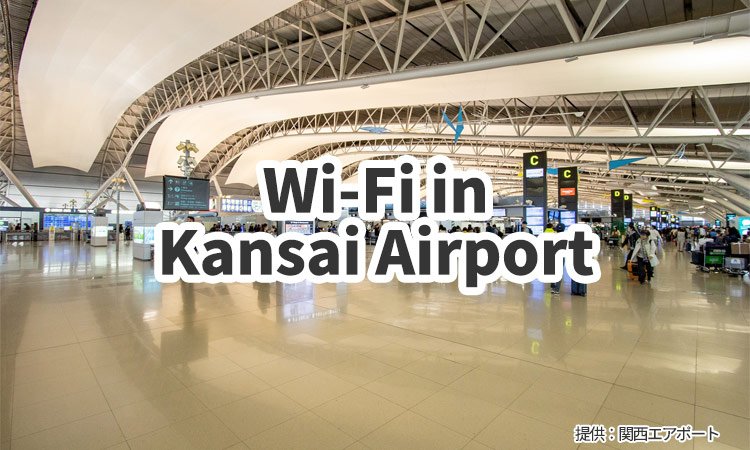
Kansai Airport has two terminals, and you can rent pocket Wi-Fi at both terminals.
Below is an overview of the available services and their operating hours for each terminal.
Pocket Wi-Fi Available for Rent at Terminal 1
| Service | Location | Opening Hours | Link |
|---|---|---|---|
| Telecom Square (WiFiBOX) |
1F Arrival Lobby South | WiFiBOX:24hours (Counter: 6:00-23:00) |
WiFiBOX |
| Telecom Square (WiFiBOX) |
4F Departure Lobby | WiFiBOX:24hours (Counter: 6:00-23:00) |
WiFiBOX |
| Ninja WiFi | 1F Arrival Lobby | 6:00-23:00 | Ninja WiFi |
| Sakura Mobile | 1F Arrival Lobby | 6:00-23:00 | Sakura Mobile |
| Xcom Global | 4F Departure Lobby | 6:00-23:00 | Xcom Global *Japanese website |
Pocket Wi-Fi Available for Rent at Terminal 2
| Service | Location | Opening Hours | Link |
|---|---|---|---|
| WiFiBOX (Unstaffed) |
1F International Arrival | 24hours | Xcom Global |
| Ninja WiFi | International Departure | 7:00-21:30 | Ninja WiFi |
| Xcom Global | International Arrival | 7:00-22:00 | Xcom Global *Japanese website |
Recommended Pocket WiFi: WiFiBOX
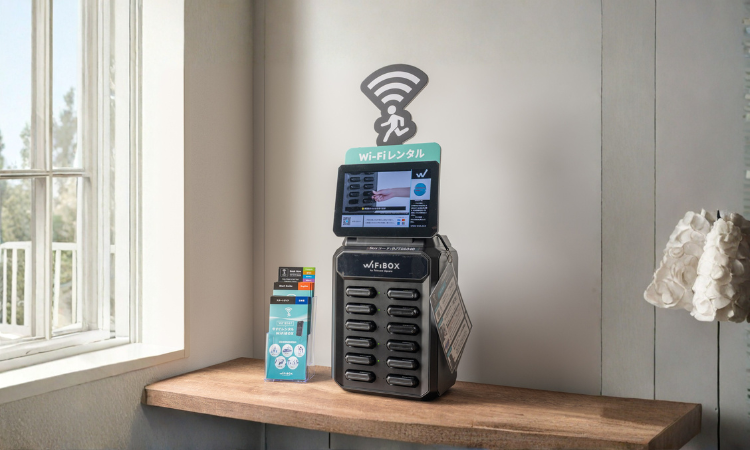
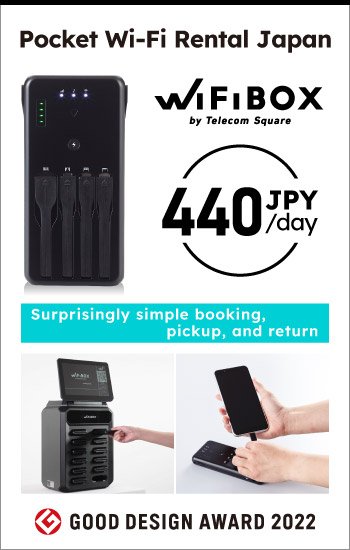
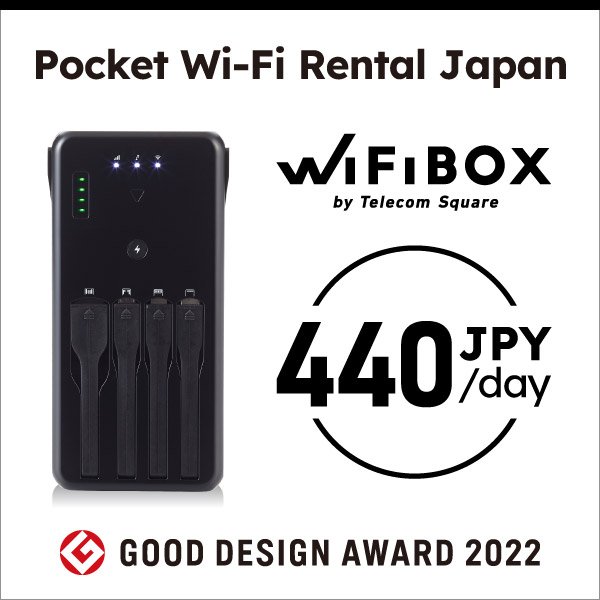
If you're looking for the best pocket Wi-Fi rental at Kansai Airport, WiFiBOX is the top choice for international travelers.
Located in both terminals, WiFiBOX allows you to rent and return a portable Wi-Fi device 24 hours a day, making it ideal for early-morning arrivals or late-night flights.
With a fast, stable connection across Japan and a fully self-service pickup process, it's the most convenient way to stay connected from the moment you arrive at Kansai International Airport.
Why We Recommend WiFiBOX
Available 24 hours at Kansai Airport Terminal
- At Kansai Airport, WiFiBOX can be rented and returned at any time, 24 hours a day. This makes it convenient for travelers arriving early in the morning or late at night.
Completely self-service -- no waiting in line at the counter
- WiFiBOX can be booked online and picked up directly at the airport location, eliminating the need to wait at a service counter.
- This fully self-service process saves valuable time for travelers. Same-day rentals are also available, making it perfect for those who didn't prepare in advance.
Fast and stable internet connection anywhere in Japan
- WiFiBOX offers a high-speed, reliable internet connection across Japan, making it ideal for travelers visiting not only Tokyo but destinations throughout the country.
Doubles as a portable charger for your devices
- Each WiFiBOX unit includes built-in charging cables, so you can use it as a power bank to charge your smartphone or other electronic devices during your trip.
How to use WiFiBOX
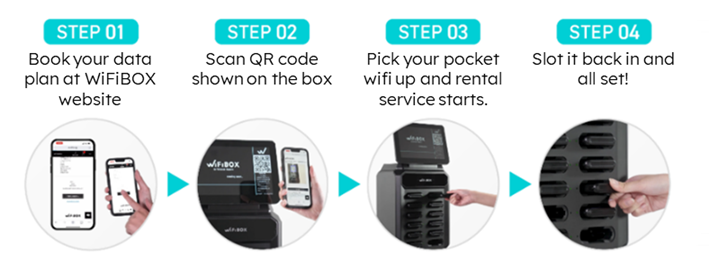
-
STEP1
Visit the WiFiBOX website, select Japan, choose your preferred data plan, and complete your reservation. -
STEP2
You'll receive a URL by email. Open the link and scan the QR code displayed on the WiFiBOX screen. -
STEP3
Pick up your device, and you're all set! -
STEP4
For returning, simply insert it into any available slot.
For more details, please refer to the WiFiBOX Quick Guide.
Where to Buy SIM cards at Kansai Airport?
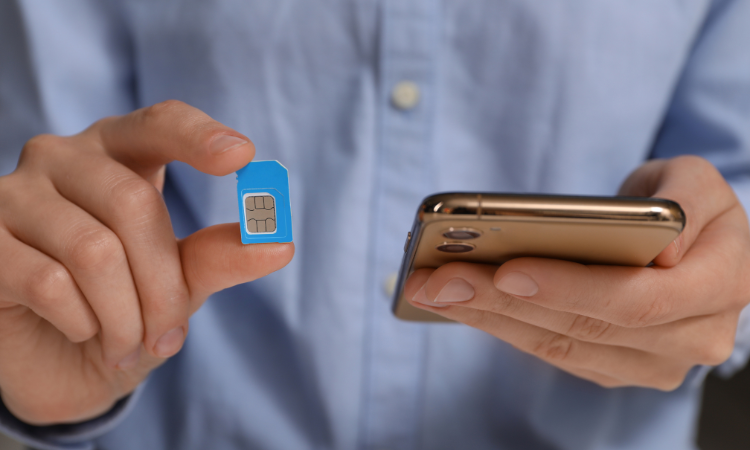
If you're looking for a SIM card at Kansai Airport, head to one of the mobile service counters located inside the terminals.
Many of these counters are open from early morning until late at night, so you can easily purchase or activate a SIM card right after your arrival.
Whether you need data for navigation, social media, or business use, it's a convenient and reliable option for travelers landing in Osaka.
SIM cards Available at Terminal 1
| Service | Location | Opening Hours | Link |
|---|---|---|---|
| Telecom Square | 1F Arrival 4F Departure |
6:00-23:00 6:30-23:00 |
Telecom Square |
| Ninja WiFi | 1F Arrival | 6:00-23:00 | Ninja WiFi |
| Sakura Mobile | 1F Arrival | 6:00-23:00 | Sakura Mobile |
| Xcom Global | 4F Departure Lobby | 6:30-23:00 | Xcom Global *Japanese website |
SIM cards Available at Terminal 2
| Service | Location | Opening Hours | Link |
|---|---|---|---|
| Ninja WiFi | International Departure | 7:00-21:30 | Ninja WiFi |
| Xcom Global | International Arrival | 7:00-22:00 | Xcom Global *Japanese website |
Recommended counters to buy a SIM card in Japan
Telecom Square is one of the best places to buy a SIM card in Japan, especially for travelers arriving at Kansai Airport.
Their counters offer a wide variety of Japan travel SIM cards, including data-only SIMs, voice SIMs, and the exclusive Godzilla-themed SIM card which comes with special package and limited-edition sticker.
At each counter, knowledgeable staff are available to help you select the most suitable SIM plan for your trip, so even first-time visitors can purchase with confidence.
Please check the following for detailed information about Telecom Square airport counters.
Telecom Square Official Website
Where to Buy an eSIM at Kansai Airport?
For those who prefer to purchase an eSIM instead of renting a pocket Wi-Fi, here are the locations at Kansai Airport where you can buy one.
At some airport service counters, staff can assist you with eSIM setup on your smartphone, making it a great option for first-time eSIM users as well.
eSIM Available at Terminal 1
| Service | Location | Opening Hours | Link |
|---|---|---|---|
| Telecom Square | 1F Arrival 4F Departure |
6:00-23:00 6:30-23:00 |
Telecom Square |
| Ninja WiFi | 1F Arrival | 6:00-23:00 | Ninja WiFi |
| Sakura Mobile | 1F Arrival | 6:00-23:00 | Sakura Mobile |
eSIM Available at Terminal 2
| Service | Location | Opening Hours | Link |
|---|---|---|---|
| Ninja WiFi | International Departure | 7:00-21:30 | Ninja WiFi |
Comparing Online Purchase vs. Airport Purchase
The biggest difference between buying an eSIM at the airport and purchasing one online is convenience.
When you buy an eSIM at the airport counter, you'll need to stop by the shop after arriving in Japan, which can take some extra time. The process itself is simple, but it's not ideal for travelers who want to connect to the internet immediately after landing.
On the other hand, if you buy an eSIM online before your trip, you can install it in advance and get connected the moment you arrive in Japan--with no need to wait in line or visit a counter. This makes online eSIM purchases the most convenient option for those who want to start using the internet right away after landing at Kansai Airport.
If you're planning to use an eSIM in Japan, it's highly recommended to purchase and set it up online before departure for a smoother travel experience.
Recommended Japan eSIM: eSIM square
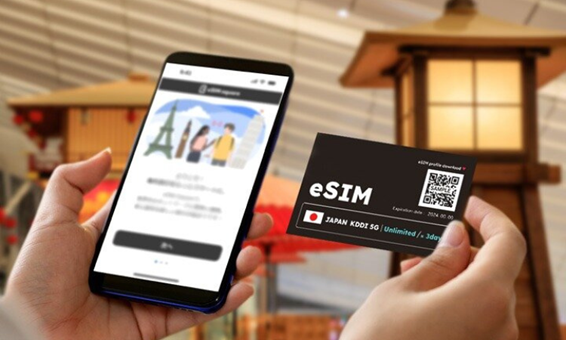
The best eSIM for travelers in Japan is eSIM square.
eSIM square offers 24-hour English customer support, so you can travel with confidence knowing help is always available if any issues arise during use. In addition, it includes a recharge feature, allowing you to top up your data anytime if you run out while in Japan.
If you prefer in-person assistance, you can also receive support and explanations at the Telecom Square counter at Kansai Airport.
Pocket Wi-Fi vs SIM Card vs eSIM: Which Is Better for Your Japan Trip?

Have you ever found yourself wondering which communication service to use while traveling in Japan?
Let's compare three options to see which one suits your travel style and needs best.
| Category | eSIM | SIM Card | Pocket Wi-Fi |
|---|---|---|---|
| Price | ◎More Affordable | 〇Depends on plans and rental period | 〇Depends on plans and rental period |
| Convenience | 〇Requires activation but no device to carry | 〇No need to carry it around, but be careful not to lose your original SIM card | 〇Easy connection with just a password, but needs to be carried around |
| Connection Speed | 〇Stable, may vary depending on usage | 〇Stable, may vary depending on usage | ◎Very stable connection |
| Device Compatibility | △Only works with eSIM-compatible devices |
〇It can be used with any device that is not SIM-locked | ◎It can be connected to any device that has Wi-Fi capability |
Recommended Options by Travel Type
For Family or Group Trips
- Pocket Wi-Fi is the best option for family or group travel in Japan. One device can be shared by several people, offering stable internet and great cost performance.
For Solo Travelers
- An eSIM is perfect for solo travel. It's lightweight, easy to activate, and more affordable than a pocket Wi-Fi. You can stay connected anywhere in Japan without carrying extra devices.
For Business Trips
- Pocket Wi-Fi is ideal for business travelers. It allows multiple device connections--such as laptops, tablets, and smartphones-- while providing a fast and stable internet connection for work on the go.
Tips & Precautions
Here are some key points and useful tips to keep in mind for each service.
<eSIM>Check if Your Device Is Compatible
eSIMs can only be used on compatible smartphones.
For iPhone users, all models from iPhone XR / XS and newer support eSIM.
For Android users, models such as the Google Pixel 4 and later generally support eSIM, although compatibility may vary depending on the model or country.
Before purchasing an eSIM, make sure your smartphone supports eSIM functionality. This is especially important for Android users, as checking compatibility in advance helps you avoid connection issues during your trip and ensures a smooth internet experience in Japan.
<SIM Card & eSIM>About SIM Lock
Before using a SIM card or eSIM, it's important to check whether your smartphone is SIM-locked. In some countries, laws prohibit mobile carriers from locking devices, so you may not need to worry about this. However, if your phone was purchased from a U.S. carrier, there's a good chance it might still be locked -- so make sure to verify its status before your trip.
For iPhone users, you can check the SIM lock status by going to Settings → General → About.
For Android users, the method varies depending on the model and manufacturer, so it's best to refer to your carrier or device manufacturer's official support page.
If you find that your device is SIM-locked, you'll need to either wait until it meets the required number of days for automatic unlocking or submit an unlock request to your carrier. For details on the unlock requirements and procedures of major U.S. carriers, please refer to the guide below.
<Pocket Wi-Fi>About Battery Life
When renting a pocket Wi-Fi, it's important to keep an eye on the device's battery level. The more devices you connect at once, the faster the battery will drain. To avoid running out of power during the day, make sure to fully charge your pocket Wi-Fi at your hotel each night. It's also a good idea to carry a portable power bank so you can recharge the device while on the go.
<All Services>Be Careful of Data Limits
Whether you're using pocket Wi-Fi, a SIM card, or an eSIM, it's important to monitor your data usage. Even with an "unlimited" plan, some services may reduce speeds if you exceed 3GB of data per day, so if you plan to stream videos or upload large files, choosing a truly unlimited plan is recommended.
Keep in mind that even with a fully unlimited plan, using a large amount of data at once may trigger the Fair Usage Policy implemented by carriers worldwide to ensure fair network usage, which can result in temporary speed restrictions.
Frequently Asked Questions(FAQ)

Can I rent a pocket Wi-Fi at Kansai Airport?
A.
Yes, you can easily rent a pocket Wi-Fi at Kansai Airport. Several pocket Wi-Fi services are available in both terminals, making it convenient to pick up a device right after arrival. For detailed locations, please refer to Where to Rent Pocket Wi-Fi at Kansai Airport.
Can I rent a pocket Wi-Fi at night or early morning?
A.
Yes. Most pocket Wi-Fi rental counters at Kansai Airport are open from early morning to late at night. For travelers arriving outside these hours, WiFiBOX offers 24-hour self-service rental and return, making it perfect for late-night or early-morning flights.
Can I buy an eSIM at Kansai Airport?
A.
Yes, you can buy an eSIM at Kansai Airport. Many airport counters sell not only pocket Wi-Fi and physical SIM cards but also Japan eSIM plans that you can activate instantly -- a great choice for travelers who want to connect right away.
Is there free Wi-Fi at Kansai Airport?
A.
Yes. Free Wi-Fi is available at Kansai Airport. However, public Wi-Fi networks can have security risks. If you plan to use the free Wi-Fi frequently, it's highly recommended to use a VPN for safe and secure browsing.
See more details about Kansai Airport free Wi-Fi here
Which is cheaper, eSIM or Pocket Wi-Fi?
A.
For individual use, an eSIM is usually the most cost-effective option. Pocket Wi-Fi can be more economical when sharing among a group, while SIM cards typically fall in between the price ranges of eSIMs and pocket Wi-Fi.
Summary: The Best Way to Get Internet at Kansai Airport
At Kansai International Airport, travelers can choose from pocket Wi-Fi rentals, SIM cards, or eSIMs to stay connected during their trip to Japan.
When selecting the best option, consider your arrival terminal, travel purpose, and number of devices.
For the most convenient and stress-free connectivity, we recommend renting a WiFiBOX upon arrival or purchasing an eSIM from eSIM Square in advance.
Both options let you connect instantly in Japan, ensuring a smooth and worry-free travel experience from the moment you land.
Share



Search articles by area
| area | prefectures |
|---|---|